I Built My Portfolio With Next.js 14 in 2026 — Here Is What I Learned (And Why I Did Not Upgrade to 15)
I shipped my portfolio rebuild at nitinmonga.in in early 2026 using Next.js 14 with the App Router. By that point, Next.js 15 had been out for over a year and Next.js 16 was already in beta. Plenty of people in my Twitter feed asked the obvious question: "Why are you still on 14?"
Nitin Monga
Designer · Developer · 3D Artist
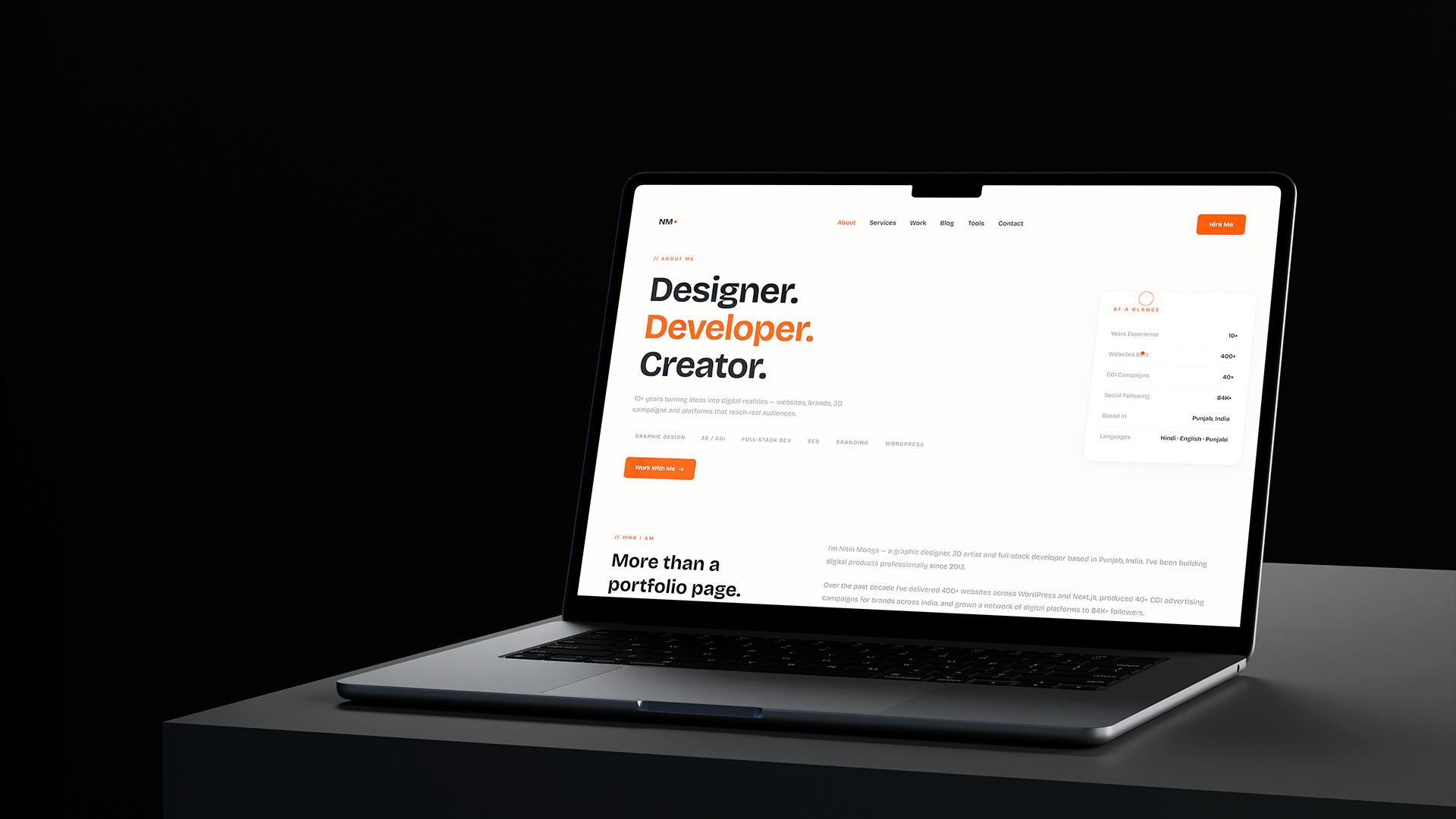
This post is the honest answer. It is also everything I learned about building a production Next.js application as a solo developer in 2026 — the patterns that actually saved my time, the mistakes I made early on, and the version upgrade reality nobody talks about until they have lived through it.
If you are a freelancer, indie hacker, or small team building anything serious in Next.js, this post is for you. I will not pretend I am a Vercel engineer. I am a working freelancer who has shipped 400+ websites, and I have strong opinions earned the hard way.
Why I picked Next.js for the portfolio rebuild
Before getting into the version debate, here is why Next.js was the right choice for my portfolio in the first place.
I needed Server-Side Rendering for SEO. A designer-developer portfolio that does not rank for the designer's own name is useless. Plain React with client-side rendering hides your content from Google during the critical first crawl. Next.js renders the HTML on the server and ships it complete to the browser — Google sees everything immediately. This is non-negotiable for any portfolio that wants organic traffic.
I needed an admin panel for content updates. Static site generators like Astro or Hugo are wonderful for purely static portfolios, but I wanted to add new case studies, blog posts, and tools without redeploying every time. Next.js with a MySQL database and Prisma ORM gives me a real backend without forcing me into a complicated microservices setup.
I needed performance that did not require constant babysitting. Next.js automatic image optimization, route prefetching, and code splitting work out of the box. I have been burned too many times by React projects where I had to manually configure Webpack and Babel to get acceptable Core Web Vitals scores.
I needed to build interactive tools. Three of the four pages most visitors land on at nitinmonga.in are the free tools — UI Analyzer, Color Palette Studio, Brand QR Studio. These are full client-side applications with state management, file uploads, and image processing. Next.js handles the hybrid model — static for marketing pages, dynamic for tools — without me having to switch frameworks.
For most freelance and indie projects in 2026, Next.js is still the most boring, predictable, low-risk choice. That is exactly what you want when you are shipping a real product on a real timeline.
Why I stayed on Next.js 14, not 15
Here is the thing nobody on Twitter wants to admit. Major version upgrades in any framework break things. Next.js 14 to 15 was no exception, and Next.js 16 added another round of breaking changes on top.
When I started the portfolio rebuild in late 2025, I evaluated both versions seriously. Next.js 15 had been stable for about a year. The community had ironed out most of the early bugs. The migration codemod was solid. On paper, going with 15 was the obvious move.
In practice, I picked 14 for three specific reasons.
Reason 1 — The async params change in Next.js 15
In Next.js 14, dynamic route parameters were plain objects. You wrote them like this in a page component:
typescript
export default function PostPage({ params }: { params: { slug: string } }) {
  return <h1>{params.slug}</h1>;
}
In Next.js 15, params became a Promise. The new pattern is:
typescript
export default async function PostPage({
  params
}: {
  params: Promise<{ slug: string }>
}) {
  const { slug } = await params;
  return <h1>{slug}</h1>;
}
This is a sensible change for streaming and parallel data fetching. But it means every single dynamic route in your app has to be updated. My portfolio has 8 dynamic routes — case studies, blog posts, tool result pages, individual project URLs. That is 8 page components plus their layout files plus any metadata generators that consume params. For a solo freelancer trying to ship, that is an extra day of work for a benefit I did not need yet.
Reason 2 — The caching default flip
This one bit a lot of developers when 15 launched. In Next.js 14, GET Route Handlers were cached by default. In Next.js 15, they are uncached by default. The reasoning was sound — too many developers were accidentally caching dynamic data because they forgot to opt out. But the practical effect was that anyone upgrading without reading the migration guide carefully suddenly had API routes that hit their database on every single request.
For my portfolio, where most data is semi-static (case study content, blog posts, tool configurations), the old caching default actually matched what I wanted. With 14, I get caching automatically. With 15, I would need to manually add export const dynamic = 'force-static' to every route handler that benefits from caching.
Reason 3 — Stability for a solo developer
I am one person. When something breaks, I do not have a team to help debug it at midnight. The Next.js 14 community has had two years to find and document every edge case. Stack Overflow has answers. GitHub issues are closed. The patterns are well-known.
Next.js 15 and 16 are still maturing. New bugs are being discovered every month. Community patterns are still being refined. As a working freelancer with client deadlines, I cannot afford to be on the bleeding edge unless there is a specific feature I need.
This is not a knock on Next.js 15 or 16. They will be the right choice for me eventually, probably sometime in late 2026 once 16 stabilizes fully. But for the rebuild I needed to ship in February 2026, staying on 14 was the boring, correct decision.
The Next.js patterns that actually mattered for the build
Setting aside the version debate, here are the App Router patterns that made the biggest difference for me. These apply to both 14 and 15.
Pattern 1 — Server Components by default, Client Components only when needed
This is the mental shift that took me longest to internalize. In old Next.js (Pages Router), every component was a Client Component by default. You had to opt into server-side rendering with getServerSideProps or getStaticProps. In App Router, it is the opposite. Every component is a Server Component until you add 'use client' at the top of the file.
Server Components have huge benefits — they ship zero JavaScript to the browser, they can directly query the database, they cannot break user interactivity because they never run in the browser. But every time you mark a component as 'use client', you ship its entire JavaScript bundle to every visitor.
The pattern that worked for me: keep components on the server by default, and only mark a component as 'use client' if it absolutely needs browser APIs, state, or event handlers. When you do mark something as a client component, push that boundary as close to the leaf of the component tree as possible. A button that needs interactivity does not require its entire parent layout to also be a client component.
Pattern 2 — Stream slow data with Suspense
This pattern is one of the App Router's superpowers, and most developers I know are still not using it.
Imagine you have a portfolio page that needs to load a case study (fast, from a cache) and a list of related projects (slow, from a database query). The naive pattern would be to fetch both before rendering, which blocks the page until the slowest query finishes.
The better pattern is to wrap the slow part in Suspense:
typescript
<div>
  <CaseStudyDetails id={id} />
  <Suspense fallback={<RelatedProjectsSkeleton />}>
    <RelatedProjects category={category} />
  </Suspense>
</div>
Now the fast part renders immediately. The slow part shows a skeleton while it loads. Users see content within milliseconds instead of waiting for the slowest query. This is the kind of pattern that makes a portfolio feel premium without any clever optimization on the underlying database.
Pattern 3 — Server Actions for mutations, not API routes
For my contact form and tool save functions, I originally built API routes. Then I refactored everything to Server Actions and never looked back.
Server Actions are functions you write in a server component that can be directly called from a client component. No fetch call, no JSON serialization, no API route boilerplate. You just call the function.
typescript
// app/actions/contact.ts
'use server';

export async function submitContact(data: ContactFormData) {
  // Validation, database write, email notification
  return { success: true };
}
Then in your form:
typescript
'use client';
import { submitContact } from '@/app/actions/contact';

// inside component
const result = await submitContact(formData);
This single change reduced my codebase by about 30% for any feature involving forms. The old pattern of "client component → fetch → API route → response → state update" collapses into a single function call. For solo developers, this is a massive ergonomics win.
Pattern 4 — Metadata API for SEO done right
Next.js 14 introduced a clean way to handle SEO that I wish I had on every project I ever built. Every page exports a metadata object or a generateMetadata function:
typescript
export const metadata = {
  title: 'Free UI Design Analyzer — Score Any UI in Seconds',
  description: 'Upload a UI screenshot. Get a professional score across 7 criteria...',
  openGraph: {
    title: 'Free UI Design Analyzer',
    description: '...',
    images: ['/og/ui-analyzer.png'],
  },
};
For dynamic pages like case studies, you use generateMetadata to fetch the data and return unique metadata per URL:
typescript
export async function generateMetadata({ params }) {
  const caseStudy = await getCaseStudy(params.slug);
  return {
    title: caseStudy.seoTitle,
    description: caseStudy.seoDescription,
    openGraph: { images: [caseStudy.ogImage] },
  };
}
This is how I ended up with unique meta tags, unique OG images, and unique Twitter cards for every single page on nitinmonga.in. The result is a portfolio that ranks for specific keywords and renders beautifully when shared on WhatsApp, LinkedIn, and Twitter. SEO is no longer a separate concern bolted on at the end — it is part of the framework.
The mistakes I made and you can avoid
If I were rebuilding the portfolio again from scratch, here is what I would do differently. These are real mistakes that cost me real time.
Mistake 1 — Putting everything in a single layout file
Early in the build, I had one giant layout.tsx that handled the navbar, the footer, the analytics, the theme provider, and a few global modals. As the site grew, this file became unmanageable. Every change required testing every page.
The right pattern is nested layouts. The root layout handles the basics (HTML structure, fonts, analytics). Sub-route layouts handle their own concerns (a /tools/layout.tsx for tool pages, a /work/layout.tsx for case study pages). This keeps each file focused and lets you change one section without breaking another.
Mistake 2 — Underestimating image optimization
I had hundreds of project images. I uploaded them at full resolution to Cloudinary, expecting Next.js Image to handle the optimization. It did — but only at request time, which meant the first visitor to each page paid the cost of generating the optimized variant.
The fix was twofold. First, pre-process images before upload using Sharp to a sensible base size (1600px max width). Second, use the priority prop on hero images and configure proper sizes attributes so Next.js Image generates the right responsive variants at build time.
Mistake 3 — Not using TypeScript strict mode from day one
I started with TypeScript loose mode, telling myself I would tighten it later. By the time the codebase was 50 files deep, turning on strict mode revealed 200+ type errors. I spent a full weekend cleaning them up.
If you are starting a Next.js project today, enable strict mode in tsconfig.json before you write a single line of code. Future you will be grateful.
Mistake 4 — Building authentication from scratch
I almost wrote my own auth for the admin panel. I am glad I did not. NextAuth.js (now called Auth.js) handles 95% of what most projects need — credentials login, OAuth providers, session management, secure cookie handling. The 5 hours it would take you to set up Auth.js properly is one-tenth of the time it would take to roll your own and still get it wrong.
Mistake 5 — Skipping the database schema review before launch
My Prisma schema went through three major restructures during the build. Each one required a migration that could have been avoided if I had spent more time on the schema design upfront. For your next project, sketch the data model on paper or in a tool like dbdiagram.io before you write any Prisma code. Two hours of upfront design saves two days of migration pain later.
Should you use Next.js for your next project?
If you are building a website that needs SEO, has any dynamic content, will grow over time, and needs to work well on mobile — yes. Next.js in 2026 is still the most pragmatic choice for serious web projects.
If you are building a purely static marketing site with no admin needs, look at Astro. It is lighter, faster to build, and produces better Lighthouse scores for static content.
If you are building a true SPA with no SEO concerns (an internal dashboard, a webapp behind login), consider Vite + React. Less framework opinion, more flexibility.
If you are building a complex backend-heavy product with lots of real-time features, look at Remix or Phoenix LiveView. They have better stories for certain use cases.
But for a freelance portfolio, a content site, a marketing landing page, a tool platform, or any combination of those — Next.js is still the answer. The community is the largest. The deployment story is the cleanest. The documentation is the most thorough.
Final thoughts
Building nitinmonga.in with Next.js 14 was the right call for me in early 2026. Will I upgrade to 16 eventually? Yes, probably in late 2026 once it stabilizes. Will I rebuild from scratch on a different framework? Almost certainly not.
The boring, predictable, well-documented choice is usually the right one when you are a solo developer shipping real work to real clients. Trends will change. New frameworks will emerge. Twitter will tell you the old stack is dead. None of that matters as much as actually shipping the thing.
Pick the tool that lets you ship. Then ship.
If you want to see the result of all this in action, my full portfolio is at nitinmonga.in. The three free tools I mentioned (UI Analyzer, Color Palette Studio, Brand QR Studio) are at nitinmonga.in/tools — all built on the same Next.js 14 setup, all free to use. And if you are working on your own Next.js project or thinking through a rebuild, my contact page is open. I respond within 24 hours.
Tagged
Nitin Monga
Graphic Designer, 3D Artist & Full-Stack Developer based in Punjab, India. Designing and building digital products since 2013.