Why Your QR Code Is Quietly Undermining Your Brand (And How to Fix It in Under a Minute)
Look at the last business card you received. If there was a QR code on it — and there probably was — it was almost certainly a plain black-and-white grid. Auto-generated. Generic. It looked like it came from the first result on Google for "free QR code generator." Because it probably did.
Nitin Monga
Designer · Developer · 3D Artist
Now look at everything else on that card. The logo. The typography. The paper stock. Someone made considered decisions about all of those things. Someone spent money on the print. Someone thought carefully about what the card communicated about the person handing it over.
And then they put a generic QR code on it.
This is one of the small, persistent inconsistencies that quietly undermine brand quality in Indian design and marketing. Not a catastrophic failure. Just a gap between everything that got designed and one thing that got auto-generated and nobody questioned.
I have been designing brand identities for 12 years. I have worked with businesses from local Punjab startups to IPL franchise partnerships to banking brands. The QR code problem comes up constantly — not as a complaint, because most clients do not notice it consciously. It comes up in my own review of the work, when I look at a beautifully designed standee or business card and see a generic code sitting in the corner looking like it wandered in from a different project.
So I built a free tool that fixes it.
What Brand QR Studio does
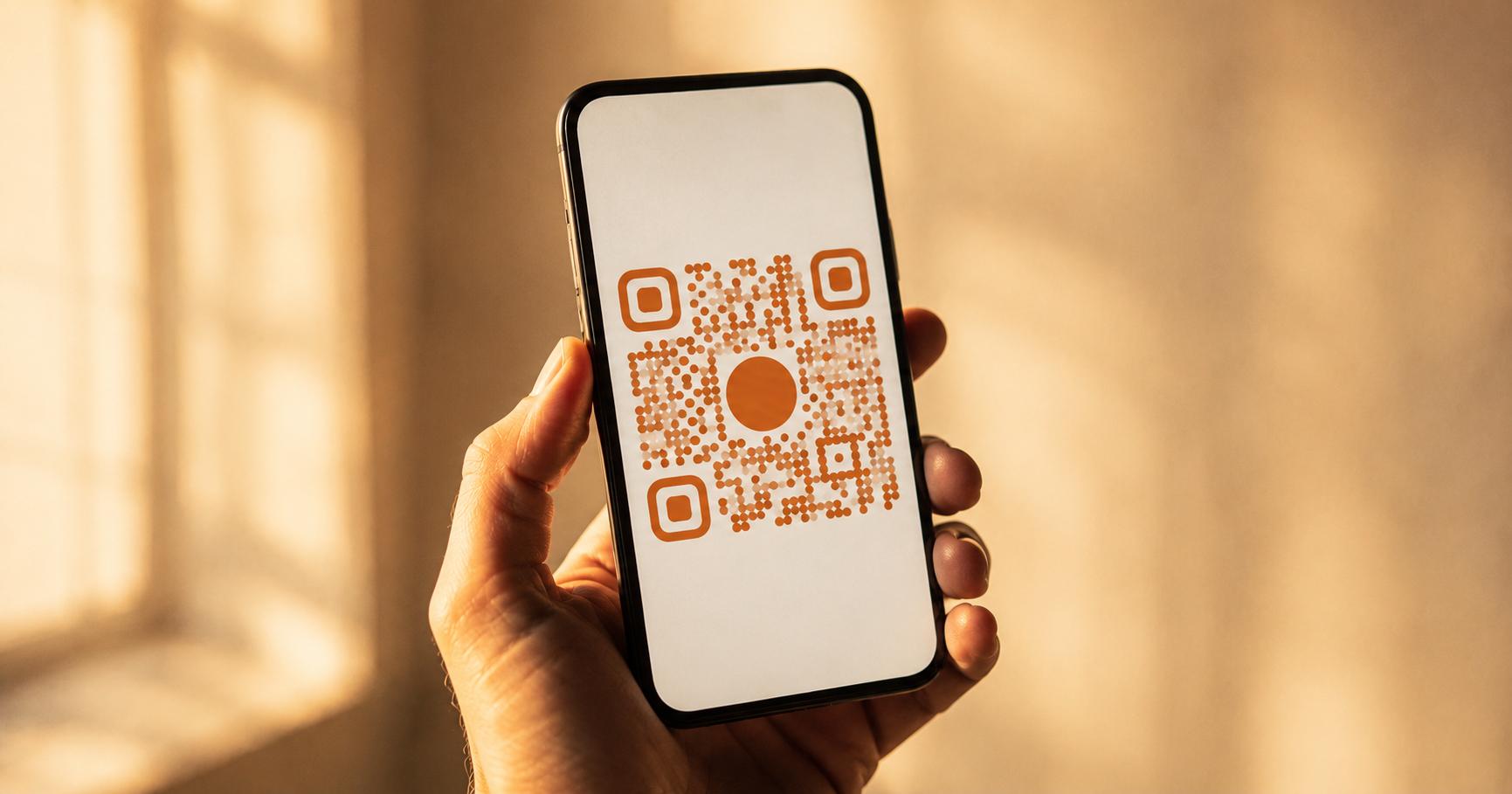
Brand QR Studio is a free browser-based tool at nitinmonga.in/tools/qr-studio that generates fully styled QR codes — custom colors, custom dot shapes, embedded logos, and professional design presets — for any content type.
The content types it supports: website URLs, WhatsApp links, WiFi credentials, UPI payment requests, Instagram profiles, Google Reviews, digital business cards (vCards), and email links.
The design options: seven dot shape styles, corner shape customization, custom foreground and background colors, gradient fills, and optional logo embed in the center.
The export formats: PNG at 1000 pixels (suitable for digital and print up to around 3.5 inches), SVG for infinite scalability in Figma or Illustrator, and transparent PNG for compositing over any background without a white box.
No login. No watermark on any export. No payment for any feature. Completely free.
Why branded QR codes get scanned more
This is not an aesthetic argument. There is a functional reason to use a branded QR code over a plain one.
A plain black-and-white QR code on a business card, a restaurant menu, or a product label reads as generic. It communicates that someone printed this without thinking about it. That signal registers subconsciously — users are less likely to scan something that looks auto-generated because it does not signal that it goes somewhere intentional.
A branded QR code — one using your logo, your brand color, a considered dot style — communicates the opposite. Someone designed this. It belongs here. It goes somewhere specific. That trust signal increases scan rates meaningfully.
All QR codes generated by Brand QR Studio use High error correction level, which means up to 30% of the QR pattern can be modified — with dot shapes, color fills, and a centered logo — without affecting scannability. This is the same error correction standard used by major brands on physical packaging worldwide. The visual customization does not compromise the function.
The eight use cases I built it for
Business cards and stationery. A vCard QR in your brand color, with your logo embedded in the center, on a matte black business card is a completely different object from a plain QR on the same card. Both link to the same contact information. One looks like it was designed. One looks like it was generated and forgotten about.
Restaurant and café menus. A QR linking to a digital menu, styled to match the restaurant's color palette, reads as an intentional part of the design. A plain white-and-black grid reads as an afterthought. The difference matters more than most restaurant owners realize.
WiFi sharing in offices and venues. A WiFi QR framed and placed on a wall in your office or café is a hospitality gesture. Style it to match the space and it becomes a small, considered design detail. In the venues I have worked with on event branding — the Four Seasons Bengaluru type of client — these details are the entire point.
UPI payment collection. A branded UPI QR on a checkout counter, an invoice, or a WhatsApp message communicates professionalism. It signals that this is a real business with considered branding, not someone who just set up a phone number on a payment app. For small businesses and freelancers in India, this distinction matters.
Social media profile growth. An Instagram QR on packaging, a receipt, or an event badge works on anyone with a phone camera. Style it to match your Instagram aesthetic and it becomes a piece of collateral that belongs to the brand rather than sitting beside it looking borrowed.
Google Reviews. A Google Reviews QR makes it frictionless for a happy customer to leave a review in the moment they are happiest with you — right after the service, right after the delivery, right at the table. Reducing that friction is the entire strategy. Styling the QR to look professional is the detail that makes them more likely to use it.
Event branding. Every event I have designed branding for — the SRH × CUB Meet & Greet, the New Year Grandeur activation, the CSK × CUB event — included QR codes across the collateral. Entry forms, promotional standees, social sharing prompts. Every one of those codes used brand colors and the event's visual identity. A plain code on a premium event standee is a gap that trained eyes notice.
Client deliverables and pitch decks. Sending a proposal or a deck with a QR code that links to your portfolio or a specific case study? Style it. It is a small detail that signals you designed the document with the same care you bring to client work.
The one thing I get asked about most
Whether the styled codes still scan.
Yes. They do. Always. Every export from Brand QR Studio uses High (H) error correction level, which allows up to 30% of the QR pattern to be modified or obscured while the code remains fully scannable by any QR reader — iOS Camera, Android Camera, WhatsApp, dedicated QR apps.
The technical reason: QR codes encode data redundantly. The High error correction level adds enough redundancy that a significant portion of the pattern can be changed — in shape, in color, in presence — without the reader failing to decode the data.
The practical test: every preset and every custom configuration in Brand QR Studio has been tested on multiple devices in multiple lighting conditions before shipping. A code that looks beautiful but does not scan is not a code — it is a decoration. The tool does not produce decorations.
What the presets are and when to use each one
I built seven presets to cover the most common branding contexts.
Minimal is the default. Black dots on white. Clean and universal. Use this when the design context demands restraint — premium stationery, formal documents, conservative industries.
Luxury uses rounded dots and a deep color. The softened geometry reads as premium without being flashy. Use this for high-end brands, hospitality, fashion, and finance.
Neon is high-contrast, energy-forward. Use this for youth brands, entertainment, music events, anything that needs urgency and energy rather than calm authority.
Tech uses square dots with a cooler palette. Reads as precise and functional. Use this for SaaS products, fintech, developer tools, and anything in the technology sector.
Gradient applies a gradient fill across the dot pattern. Visually striking. Use this for digital-first brands where the code will primarily appear in social content rather than print.
Glassmorphism is the most unusual preset. Semi-transparent with a frosted quality. Use this sparingly — digital backgrounds, branded landing pages, social media content where the QR sits over a photograph.
Modern Business is the versatile middle ground. Rounded corners, professional color, clean. Use this for business cards, email signatures, general corporate material.
Every preset is a starting point. The customization options let you adjust colors, dot styles, and corner treatments from any preset base. Most branded results come from starting with the closest preset and making two or three specific adjustments.
How data privacy works
Every QR code is generated client-side in the browser using the qr-code-styling library. WiFi passwords, UPI IDs, WhatsApp numbers, and vCard details are encoded directly into the QR pattern without being sent to a server or stored anywhere.
I want to be explicit about this because the content being encoded in QR codes is often sensitive. A WiFi password is a real credential. A UPI VPA is a real financial identifier. A vCard contains personal contact information.
None of that data passes through my servers. The encoding happens in your browser. I do not have access to it and I do not log it.
This is the same architectural privacy approach I use across all my free tools. Your data stays with you.
A note on the UPI use case specifically
UPI QR codes have a specific format that most generic QR generators do not handle correctly. The tool handles it properly — the VPA, the payee name, the transaction note, and the optional pre-filled amount are all encoded in the correct UPI deep link format that any UPI app in India can parse.
This matters because a malformed UPI QR code does not fail gracefully. It either does not scan, opens the wrong thing, or — worst — opens a UPI app but with an error that confuses the user and breaks the transaction. Brand QR Studio builds the correct payload automatically. You enter your VPA and the amount. The tool handles the formatting.
Try it
Go to nitinmonga.in/tools/qr-studio. Pick your QR type, enter your content, choose a preset or customize from scratch, add your logo if you have one, and download.
The whole process takes under a minute. The result is a QR code that belongs on your business card, your packaging, your event collateral, and your client deliverables — not one that looks like it was generated and forgotten about.
Every export is free. No watermark. No account. Use the output commercially without restriction.
If you have a specific use case the tool does not handle, or a branding context where the current presets do not get you where you need to be, the contact page is open. I am actively improving the tool based on how people are using it.
And if there is a project where branded collateral — print, digital, or event — is on the table, the work page shows what that looks like in practice.
Tagged
Nitin Monga
Graphic Designer, 3D Artist & Full-Stack Developer based in Punjab, India. Designing and building digital products since 2013.