Designing for Indian Languages: Why Phonetic Typing Makes Regional Content Easier to Create
Speaking an Indian language and typing it fluently are two different skills. Phonetic transliteration reduces that gap by letting people type familiar sounds with an English keyboard and convert them into native scripts. This is why I built an Indian Language Typing Tool around simple phonetic input.
Nitin Monga
Designer · Developer · 3D Artist
Language should not become a keyboard problem
A lot of people can speak Hindi, Punjabi, Gujarati, Tamil or another Indian language comfortably but still type most of their digital communication in English.
That does not always mean they prefer English.
Often the keyboard is simply easier.
The English layout is already familiar.
The user knows where every key is.
Switching to another keyboard introduces a separate learning problem before the writing can even begin.
For someone who only occasionally needs native script, that friction can be enough to avoid it completely.
This is the problem phonetic transliteration solves.
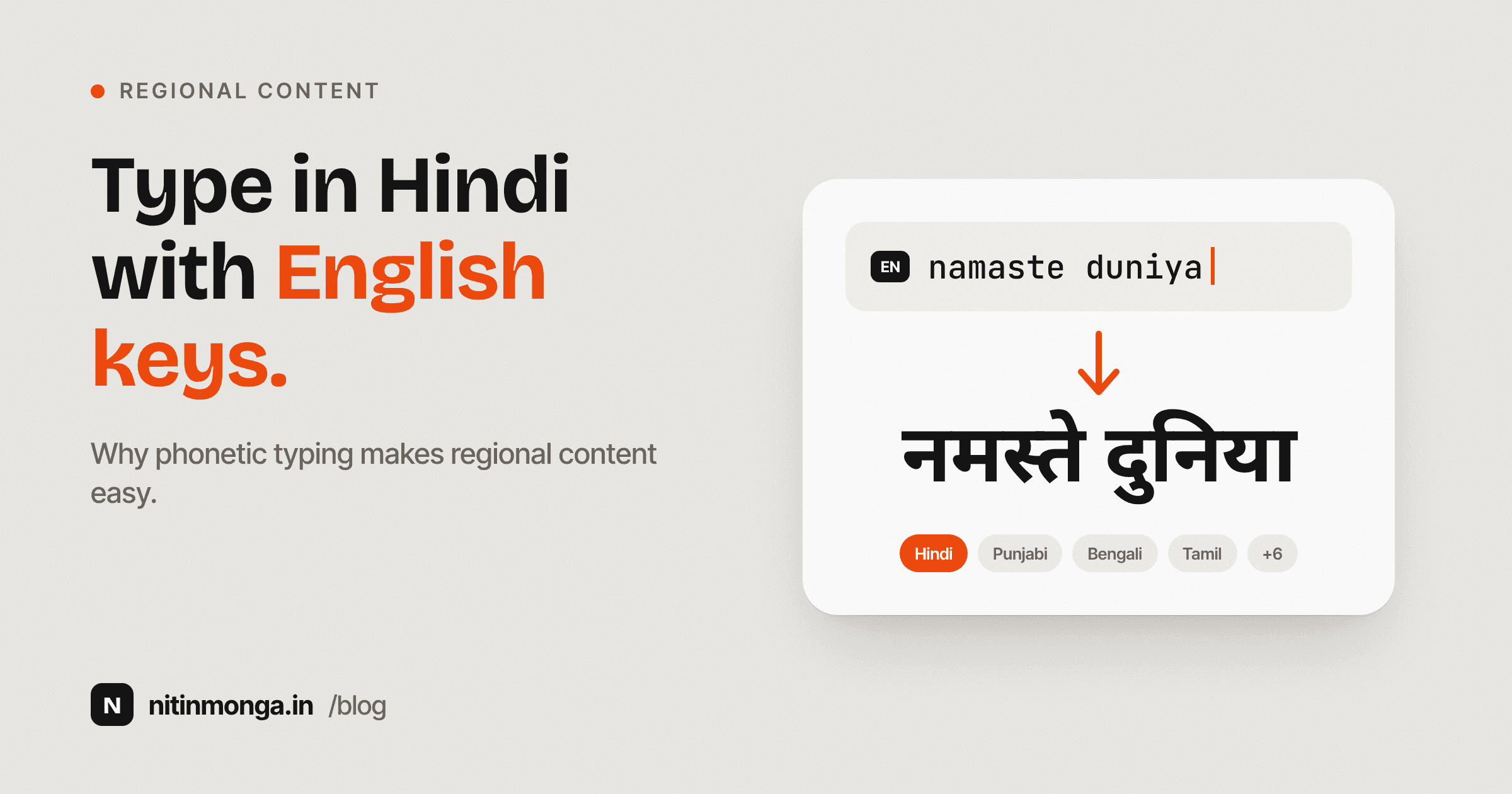
You type the sound using the letters you already know.
The system converts that phonetic input into the selected script.
That is the basic idea behind the Indian Language Typing Tool I built.
Transliteration is not translation
This distinction is important.
Translation changes language.
Transliteration changes script.
If I type a Hindi word phonetically using English letters, I am not asking the tool to translate an English idea into Hindi.
I already know the Hindi word.
I simply want it written in Devanagari.
The same applies to Punjabi in Gurmukhi or Tamil in Tamil script.
This makes transliteration useful for people who can speak the language but do not have fast native script typing habits.
Why phonetic input feels natural
People already use phonetic typing informally.
WhatsApp conversations are full of Hindi, Punjabi and other languages written in Latin characters.
People type:
namaste
kiddan
dhanyawad
vanakkam
kem cho
The language already exists in the user's head.
The English keyboard is simply being used as a substitute script.
A transliteration tool formalises that habit.
Instead of leaving the word as Latin characters, it converts the phonetic spelling into the native writing system.
For many users, this has a much lower learning barrier than memorising a new keyboard layout.
Native script changes how content feels
Romanised Punjabi and Punjabi written in Gurmukhi carry the same spoken language, but they do not feel identical.
The script is part of the cultural experience.
The same is true for Hindi, Bengali, Tamil, Telugu, Gujarati, Malayalam and others.
Native script can make a message feel more intentional and more appropriate for the audience.
For brands, this matters.
A regional campaign that uses the language only in Latin characters may feel less considered than one that uses the actual script correctly.
Typography and language are both part of communication design.
This matters in my own design work
Working in India means multilingual content appears regularly.
Campaigns.
Festival creatives.
Retail communication.
Banking material.
Social content.
Packaging.
Regional advertising.
Designers often receive text in Word documents, WhatsApp messages or email.
Sometimes the native copy is ready.
Sometimes someone sends the phonetic version and expects the designer to convert it.
A simple typing utility removes a repetitive piece of friction from that process.
That is why this tool belongs on a site that otherwise contains design and development utilities.
It solves a real production problem.
Ten languages cover very different writing systems
The tool supports Hindi, Punjabi, Tamil, Telugu, Bengali, Gujarati, Marathi, Kannada, Malayalam and Urdu.
These languages do not all share the same script.
Hindi and Marathi commonly use Devanagari.
Punjabi uses Gurmukhi.
Gujarati has its own script.
Tamil, Telugu, Kannada and Malayalam each have their own writing systems.
Urdu is written right to left.
This diversity is exactly why forcing users to learn a different keyboard layout for occasional use can become inconvenient.
The user should be able to choose a language and focus on the words.
Suggestions are important because phonetics vary
There is rarely one universal way to write every Indian word using English letters.
People spell sounds differently.
A Punjabi speaker may represent the same sound with slightly different Latin characters.
Hindi speakers do the same.
Regional pronunciation also changes.
This is why suggestion alternatives are useful.
The tool can choose a likely result while still letting the user select another option when the first conversion is not the word they intended.
Transliteration should assist the writer, not pretend pronunciation is perfectly standardised.
Human review is still necessary
A transliteration system can convert phonetic input.
It cannot fully understand what you meant in every sentence.
Homophones exist.
Names are unpredictable.
Regional vocabulary varies.
Context can change the correct spelling.
If the content is important, review it.
For client work, I prefer a native speaker or language professional to check final copy when possible.
The typing tool solves input friction.
It does not replace language expertise.
That is an important limitation.
Proper nouns need special care
Names are one of the hardest areas for any transliteration system.
A person's name may have a preferred spelling that differs from the most obvious phonetic conversion.
Brand names may intentionally preserve English.
Place names can have established native forms.
I do not want a tool making those editorial decisions automatically.
When working with names, I confirm the intended spelling directly.
A technically plausible transliteration is not always the correct identity.
Typography after transliteration
Once text is converted, the design problem continues.
The chosen font needs to support the script.
A beautiful Latin typeface may not contain Hindi or Punjabi characters.
Even when a font supports multiple scripts, the visual relationship between scripts may not feel balanced.
This matters in bilingual design.
An English heading and a Hindi heading at the same numerical font size may not have the same visual weight.
Designers often need to adjust size, line height and spacing manually.
The typing tool creates Unicode text.
The designer still needs to choose appropriate typography.
Unicode makes the output portable
The converted text can be copied into applications that support Unicode.
That includes common messaging, document and social platforms.
This matters because the output is text, not an image.
The user can edit it.
Search it.
Copy it.
Resize it.
Use it in design software when the selected font supports the script.
Portable text is much more useful than generating a picture of the words.
Social content is an obvious use case
Regional language content performs an important role for creators and businesses serving local audiences.
A caption written in the reader's language can feel more direct than an English caption translated mentally by the viewer.
The typing workflow should not make that harder.
A creator can type phonetically, convert the text, copy it and continue writing inside the social platform.
The tool is intentionally small because the writing itself belongs wherever the content is being created.
WhatsApp is another natural use
A lot of multilingual communication happens in messaging apps.
Family conversations.
Business communication.
Community groups.
Customer communication.
Users may want native script without permanently changing their system keyboard.
A browser based typing page gives them a temporary workspace.
Convert the message.
Copy it.
Paste it.
Done.
Education benefits from easier input
Teachers producing worksheets, notes and question papers often move between English and regional languages.
Typing speed becomes a practical production issue.
If an educator speaks the language fluently but types English faster, phonetic input can reduce the mechanical part of the process.
Accuracy still matters.
Educational material should be checked carefully.
But the initial draft becomes easier.
Business communication needs respectful language
Regional language is not only for casual content.
Businesses use it in customer messages, offers, invoices, notices and local marketing.
When the audience is more comfortable reading in a regional language, forcing all communication into English can create unnecessary distance.
This is especially relevant in India, where a single business may communicate with customers across several language preferences.
Tools that reduce the cost of creating multilingual text make local communication easier.
Creative writing is different from utility writing
Poetry, lyrics and storytelling depend heavily on nuance.
Transliteration can help enter the script more quickly, but it cannot make creative language decisions.
A poet knows which word carries the correct rhythm.
A lyricist knows whether a colloquial spelling suits the voice.
The tool should remain a typing assistant.
Creative authority stays with the writer.
Urdu needs right to left awareness
Urdu introduces an additional layout difference because the script flows from right to left.
This affects more than the letters.
Text alignment.
Punctuation behaviour.
Mixed English and Urdu.
UI controls.
Design applications.
A typing tool can produce the script, but designers need to test the final layout in the software where the text will appear.
Multilingual design is not simply a font substitution exercise.
Search and SEO considerations
If a website genuinely serves users searching in a regional language, native script content can help the page match that audience more naturally.
But transliterating English keywords into another script is not an SEO strategy by itself.
The language needs to be useful and authentic.
Content should be written for the reader first.
Search behaviour also differs by region and language.
Some users search in native script.
Others use Romanised words.
Many mix English with regional languages.
That complexity is worth recognising rather than assuming one spelling represents everyone.
Why I do not call transliteration translation
I deliberately want the distinction to remain clear on the tool.
If someone types an English sentence and expects the meaning to become Tamil, they need translation.
If someone knows the Tamil words and types their sounds in English letters, they need transliteration.
These are different technologies solving different problems.
Clear tool positioning prevents users from trusting the output for a job it was not designed to do.
My preferred workflow for client content
When I receive phonetic regional copy, I first confirm the language and intended meaning.
I convert the text.
Then I compare it with any approved reference supplied by the client.
For sensitive material, I get a native speaker to review it.
Then I place the final copy in the design and check the typography separately.
This separation is useful.
Language accuracy first.
Visual treatment second.
Trying to solve both simultaneously makes mistakes easier to miss.
Why I built the tool
The idea is not complicated.
That is exactly why I wanted to build it.
A useful utility does not need a complicated business model.
Sometimes a designer or creator simply needs to type a line in Punjabi or Hindi without changing keyboards.
Sometimes someone needs a Tamil caption.
Sometimes a teacher needs regional language text for a document.
If phonetic typing can remove a few minutes of friction, the tool has done its job.
Final thoughts
Multilingual communication is not a niche edge case in India.
It is normal.
The difficulty is often not knowing the language.
It is entering the script efficiently inside a digital workflow built around an English keyboard.
Phonetic transliteration creates a practical bridge.
Type the sound you know.
Choose the correct suggestion.
Review the native script.
Copy it into the place where you actually need it.
The technology should disappear quickly so the language can remain the focus.
Tagged
Nitin Monga
Graphic Designer, 3D Artist & Full-Stack Developer based in Punjab, India. Designing and building digital products since 2013.