A Logo Is Not Finished Until It Works at 16 Pixels: How I Test Logos Across Real Sizes
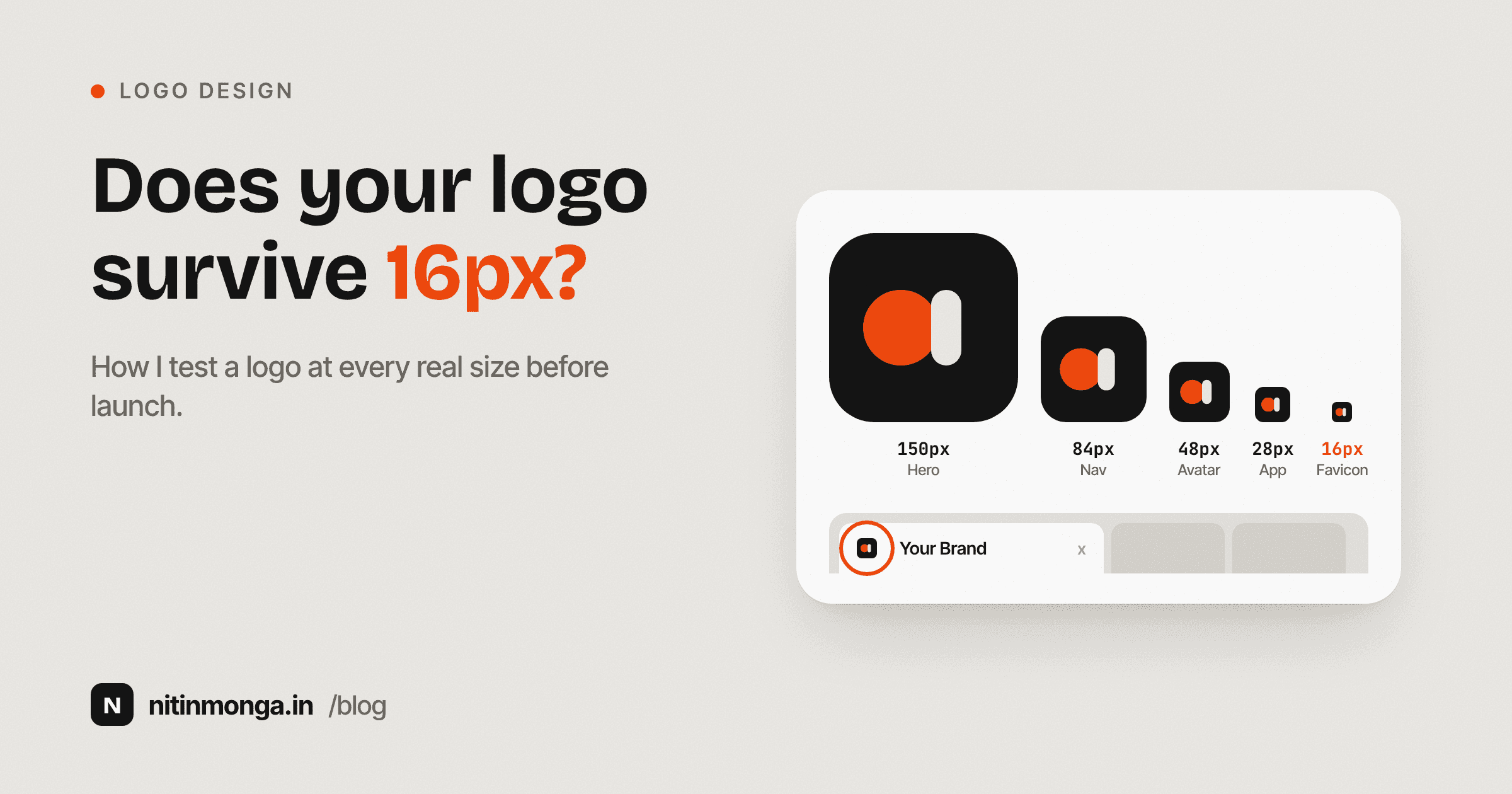
A logo can look excellent on a presentation slide and fail completely as a favicon. Scale testing should happen during logo development, not after the identity is approved. This is the process I use to judge whether a logo can survive the sizes a real brand needs.
Nitin Monga
Designer · Developer · 3D Artist
Presentation size can hide a lot of problems
Most logo presentations are generous.
The logo sits in the middle of a large artboard.
There is plenty of white space.
The mark may be shown at 500 or 800 pixels wide.
At that size almost everything looks controlled.
Thin strokes remain visible.
Small gaps remain open.
Fine details remain distinct.
Letterforms have room to breathe.
The real test begins when the logo leaves the presentation.
It becomes a navigation logo.
An Instagram avatar.
An email signature.
A business card mark.
An app icon.
A browser favicon.
Sometimes it appears only 16 pixels wide.
That is where unnecessary complexity becomes visible.
This is why I built the Logo Scale Tester.
I wanted one place where I could look at a logo across the sizes it will actually experience instead of judging it from one ideal presentation.
Scale is part of logo design
I do not see scale testing as a production task.
It belongs inside the design process.
If a symbol fails at a small size, I want to know while I can still change the symbol.
If the wordmark becomes unreadable in navigation, I want to know before the client approves the identity.
If a monogram works beautifully at 200 pixels but turns into a dark blob at 24, that is not an export problem.
That is a design problem.
The logo's future environments should influence the form from the beginning.
Small sizes remove forgiveness
Large logos can carry detail.
A thin internal line may look elegant.
A subtle notch may create personality.
A small negative space may produce a clever visual idea.
As the mark gets smaller, all of those relationships compress.
A one pixel difference becomes significant.
Two shapes that looked comfortably separated begin to touch.
A narrow gap disappears.
A fine stroke becomes uneven.
This is why small size testing is useful even when the final logo will often appear large.
Small sizes reveal structural weaknesses quickly.
The favicon test
If I had to choose one brutal test for a symbol, it would be the favicon.
At 16 pixels, the browser does not care how beautiful the presentation was.
There is almost no room.
A mark needs a recognisable silhouette.
Internal spaces need to remain open enough to register.
Details need to contribute to recognition rather than compete with it.
Not every brand needs the complete primary logo to work at 16 pixels.
In fact, many should not try.
The favicon may use a simplified symbol, monogram or alternate brand mark.
That is still scale testing.
The point is to understand what version of the identity belongs at each size.
Responsive logo systems are normal
There is an outdated idea that a logo must be identical everywhere to remain consistent.
Consistency is not the same as rigidity.
A complete horizontal lockup may work in a website header.
A stacked version may work in square spaces.
A monogram may work as a social avatar.
A simplified symbol may work as a favicon.
The brand remains consistent because these versions come from one visual system.
Trying to squeeze the complete logo into every environment often creates worse results than designing intentional variations.
Scale testing helps identify when those alternatives become necessary.
Wordmarks have their own problems
A symbol can often be simplified.
A wordmark depends on readability.
If the brand name is long, the horizontal width becomes a problem quickly.
At navigation size, letters may become too small even if the overall logo technically fits.
Custom letter details may disappear.
Thin contrast may become weak.
Tight tracking may merge.
A wordmark that has been beautifully drawn for large use might need optical adjustments for digital sizes.
This is similar to typography.
Display type and body type are not always drawn exactly the same way.
Logo variants can also benefit from optical changes when the environment changes dramatically.
Thin strokes are a warning sign
Fine lines are attractive in identity presentations because they can make a mark feel refined.
They are also one of the first things to fail.
On low resolution displays, thin strokes may become inconsistent.
On print, they can break depending on the production method.
On embroidery or signage, they may not reproduce at all.
This does not mean thin strokes should never be used.
It means the identity needs to know where they are safe.
If the entire recognition of the logo depends on a hairline, the system may be fragile.
Negative space needs to survive compression
Some of the best logo ideas depend on negative space.
The empty part of the mark creates a second shape or separates key elements.
That space needs to remain open.
When a mark shrinks, negative spaces disappear faster than designers expect.
Two shapes that were clearly distinct at 200 pixels can appear connected at 24.
The concept may technically still exist in the vector file, but the viewer can no longer see it.
This is why I look at negative space relationships carefully when moving through the scale test.
If the idea disappears before the sizes where the logo actually needs to work, I need another version or a structural adjustment.
Social avatars create a different test
Social profile images are usually square or circular.
That changes the composition.
A wide wordmark often becomes tiny when forced into that frame.
A standalone symbol usually performs better.
The avatar also appears beside other avatars, often at small sizes.
Recognition matters more than detail.
I want the mark to survive without needing the viewer to read small text.
If a brand has no usable square asset, I consider that a gap in the identity system.
Navigation logos need restraint
Website navigation is one of the most common places a logo appears.
It is also easy to oversize it because the designer understandably wants the brand to be visible.
The logo should be clear, but it should not consume the header.
A navigation mark needs to coexist with links, account controls, search, menus and actions.
I test the logo at realistic header sizes because this is where horizontal proportions become obvious.
A very tall mark can force an oversized navigation bar.
A very wide mark can leave little space for the rest of the interface.
Logo geometry affects UI layout more than many branding presentations acknowledge.
Business card scale
Business cards are useful because they expose print reality.
A logo that looked perfectly sharp on a monitor may contain details that become weak at physical size.
Small text.
Fine rules.
Tiny registered marks.
Delicate internal shapes.
The logo should not depend on the viewer holding the card six inches from their face.
I also think about print process.
Digital print, offset print, foil, embossing, screen printing and embroidery all have different tolerances.
Scale testing on screen is the beginning, not the final production proof.
Email signatures are often ignored
Email signatures are small, inconsistent environments.
Different email clients resize images.
High density displays may render them differently.
Recipients may view them on mobile.
A detailed logo can quickly become soft.
For email, I value clarity and controlled file dimensions more than elaborate detail.
The Logo Scale Tester includes email signature scale because it is exactly the kind of everyday use case designers forget during presentation.
App icons change the problem again
An app icon is not simply the logo placed inside a square.
The surrounding operating system may mask the shape.
The icon may appear at many sizes.
The mark needs to work beside other app icons with very different visual weight.
If the logo is too delicate, it feels weak.
If it fills too much of the frame, it feels cramped.
I use app icon testing to evaluate the symbol as an object, not just as part of a wordmark.
Large scale is not automatically easy
Billboards and signage give the logo more physical size, but they introduce distance.
The viewer may see the mark from across a road or room.
Fine detail can still disappear, not because the mark is physically small but because the viewing distance is large.
Large scale tests are useful for silhouette.
Can I recognise the mark quickly?
Does the wordmark remain readable?
Does the proportion work when enlarged?
A complicated mark may technically reproduce perfectly at billboard dimensions while still taking too long to recognise from a moving vehicle.
Why vector files matter
When I test logos, I prefer SVG whenever possible.
SVG preserves geometric information instead of storing a fixed grid of pixels.
That means the browser can render the logo appropriately at each target size.
For a scale test, that matters.
I want to judge the design itself rather than introduce unnecessary softness from a poorly sized raster export.
PNG can still be useful, especially for final digital assets, but the source identity should normally exist in vector form.
JPG is rarely my first choice for a logo because it does not support transparency and introduces compression.
The tool accepts common formats, but SVG gives the cleanest scale comparison.
Raster logos reveal another issue
Sometimes the only available logo is a PNG.
In that case, scale testing can reveal whether the file itself is suitable.
A small PNG stretched into a larger application will become soft.
A large PNG displayed smaller may remain sharp enough, but file weight can become unnecessary.
Raster testing is partly about logo design and partly about asset quality.
This is useful when auditing an existing brand where vector files are missing.
Light and dark backgrounds
A logo that works on white may disappear on black.
A logo designed for dark backgrounds may lose definition on light surfaces.
This is why a complete identity normally needs appropriate color variants.
Testing against light, dark and transparent backgrounds exposes these issues quickly.
It also reveals whether the mark depends on a surrounding container.
Some logos need a holding shape to remain visible.
Others work more flexibly.
Neither approach is automatically right.
The important thing is understanding the constraint before assets are delivered.
I look for recognition before detail
When I shrink a logo, I stop asking whether I can see every design feature.
I ask whether the identity is still recognisable.
Some details can disappear without hurting the mark.
Others are essential.
A simplified small size variant should preserve the features that make the logo itself.
This is why scale testing is not simply a technical checklist.
It helps identify the core visual idea.
If removing one tiny detail makes the entire logo generic, perhaps that detail is doing too much work.
The audit sheet is useful for client conversations
Scale problems can be difficult to explain verbally.
A client may love a detailed logo because they have only seen it large.
Showing the same mark at navigation size, avatar size and favicon size changes the conversation.
The issue becomes visible.
That is why I added an audit sheet export to the Logo Scale Tester.
It allows the different sizes to sit together in one image.
The sheet can become part of a design review or brand guideline discussion.
Instead of saying the mark may not work small, I can show exactly where it begins to fail.
My scale testing process
I usually start with the primary logo.
I look at the largest presentation size only briefly because that is rarely where problems hide.
Then I move down.
Navigation.
Social.
Business card.
App icon.
Touch icon.
Favicon.
The smaller the mark becomes, the more carefully I watch stroke weight, spacing and recognition.
If a problem appears, I do not immediately redesign the entire logo.
I first decide whether the solution is an alternate version.
Remove the descriptor.
Use the symbol only.
Increase a small gap.
Simplify an internal shape.
Adjust line weight.
A responsive system is often the correct answer.
Also Read: How I Choose Website Colors
When a logo is ready
I consider a logo system much more complete when I know:
Which version belongs in navigation.
Which version belongs in a square avatar.
Which version belongs at favicon size.
Which colors work on light backgrounds.
Which work on dark backgrounds.
What the minimum safe size is.
Whether print introduces additional constraints.
How much clear space is required.
A single master logo file is not enough information for a working brand.
Why I built the Logo Scale Tester
The workflow is simple because the problem is simple.
Designers already know they should test logos at multiple sizes.
The annoying part is building the comparison every time.
Create artboards.
Resize the mark.
Change the background.
Label each size.
Export.
Repeat on the next project.
I wanted that inspection to happen immediately.
Upload once.
See the sizes together.
Switch backgrounds.
Export the comparison if needed.
The tool does not judge whether the logo is good.
It gives the designer the context needed to judge it properly.
Final thoughts
A logo should not only survive the hero slide in a branding presentation.
It has to survive everyday use.
Tiny browser tabs.
Crowded navigation bars.
Social profiles.
Emails.
Cards.
Apps.
Print.
Large signage.
Some marks can use one version everywhere.
Many need a responsive family.
Both approaches are fine when they are intentional.
The mistake is finding out after launch that the logo only worked at presentation size.
Test early.
Test small.
Simplify when necessary.
Build alternate versions deliberately.
A logo that still feels like itself at 16 pixels has passed one of the hardest tests in identity design.
Tagged
Nitin Monga
Graphic Designer, 3D Artist & Full-Stack Developer based in Punjab, India. Designing and building digital products since 2013.